
So passt es in Ihren Arbeitsablauf
Bring Fireflies meeting knowledge into supported AI assistants to retrieve conversation context and extract follow-up actions.
- Offizieller Eintragsname
- Fireflies
- Produkt / Herausgeber
- Fireflies
- Plattform
- ChatGPT, Claude, MCP
- Anwendungsfälle
- Meeting-Assistenten
Funktionen und Arbeitsabläufe
- Retrieve meeting context
- Extract action items
- Analyze meeting conversations
Features summarize the linked listing or integration documentation. Availability, account requirements and plan limits should be checked with the provider.
Related reviews & comparisons
Published comparisons covering this integration or its product family.
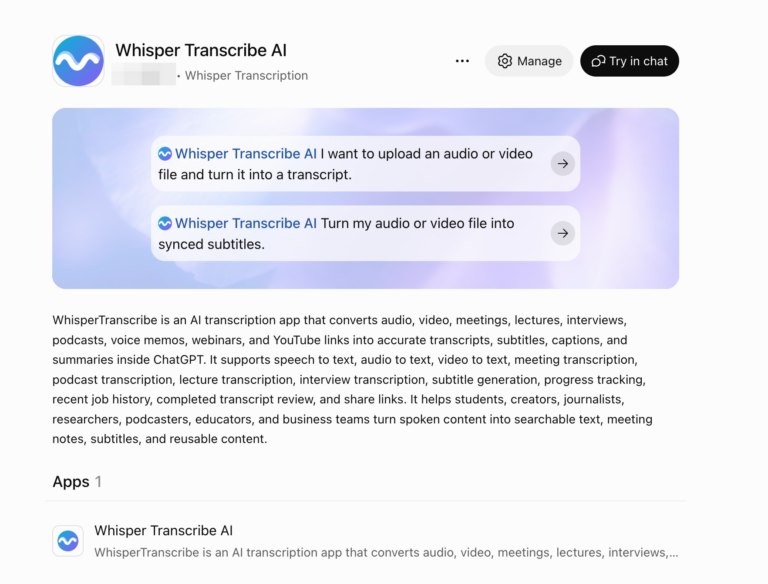
Integration comparison
WhisperTranscribe.ai vs. Sider, Transkriptor, Otter and Fireflies: A One-Hour Recording Workflow Review
Compare WhisperTranscribe.ai with Sider, Transkriptor, Otter and Fireflies for a one-hour recording, source-linked briefs and timed caption handoffs.
Updated · Read the comparison →
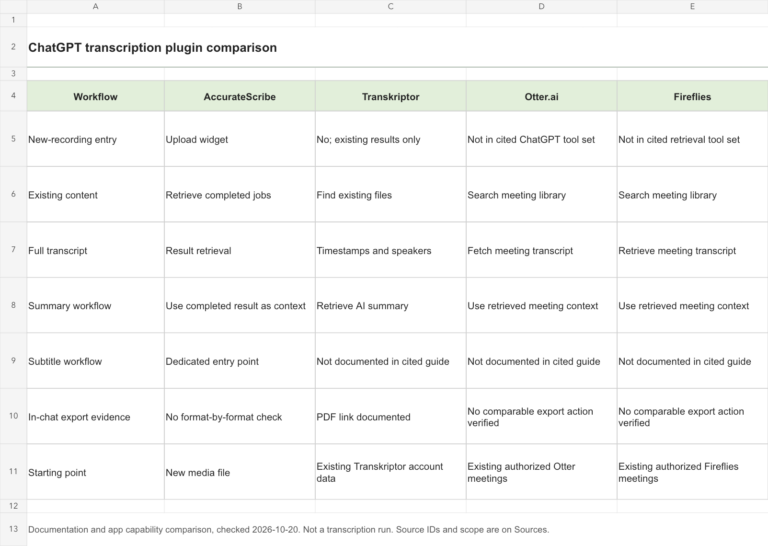
Integration comparison
ChatGPT Transcription Plugins Compared: AccurateScribe, Transkriptor, Otter and Fireflies
Compare new-recording transcription, existing meeting search, summaries, exports and setup across four ChatGPT transcription integrations.
Updated · Read the comparison →
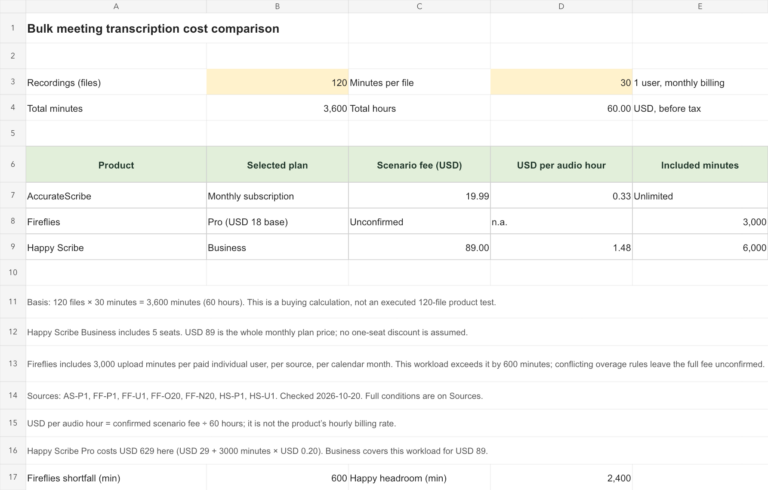
Product comparison · Fireflies
AccurateScribe vs. Fireflies vs. Happy Scribe: A 60-Hour Meeting Transcription Comparison
Compare 120 half-hour meeting recordings: AccurateScribe’s $19.99 subscription, Fireflies’ upload allowance, Happy Scribe costs, file limits and export options.
Updated · Read the comparison →
Eintragsdetails und Quellen
- chatgpt.comhttps://chatgpt.com/plugins/plugin_connector_6912075cb358819187346bcafb601db8
- fireflies.aihttps://fireflies.ai/blog/fireflies-mcp-server
- fireflies.aihttps://fireflies.ai/blog/fireflies-claude
Listed in the connected app directory. Access and available actions depend on the account and workspace. This entry has not been hands-on tested. Official Fireflies documentation confirms Claude and other MCP clients. Existing meeting retrieval is supported; action availability depends on connection method. OAuth app tools may expose a read-focused subset.
Für diese konkrete Integration ist kein Praxistest dokumentiert. Die Prüfung eines Store-Eintrags oder einer Dokumentation belegt weder Genauigkeit noch Leistung oder eine Testbewertung.

